
All the new features added by Blogger in their redesign have improved the design of the blogs no end with lots of benefits for those who have switched over. We implemented all the things mentioned in that article within hours of the redesign being launched and have been adding further hacks since. I've been meaning to write how-to posts for quite a while now and have finally got around to doing one. What with this and the long fabled Victoria Tunnel report allegedly coming on the same day you must be looking out of the window for the flying pigs now.
The first hack to be written up is the On This Day hack. That's because it is the simplest one to do, and by extension, the easiest for me to write up. So what does this hack do? Can you see the On This Day links at the top of the page? The interesting bit is what they link to - the On This Day pages at various websites which have famous events, births, deaths and observed holidays from around the world many of which are linked to good articles on the subject. The sites currently linked to are:
So for the minimal effort of inserting a little bit of code in your template you automatically get a link of the day style thing for every day you publish a post. Note that you don't need to be using the new designs to use this hack - it works equally well on the old templates too.
Onto the hack itself. The first stage is to ensure your dates are in the correct format. To do this go to the dashboard and then go to Settings / Formatting as shown here.
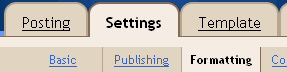
Set the date this format:

Set the date language to English. Mine is English UK but any of the English options should work. It may even work with other languages but I've never tried it. If you do want to try a different language make sure the date format you choose has the month name and year to ensure the script has the best chance of turning the date into a link.

Save your changes.
Now we are going to edit the template to put the JavaScript code in to do the date linking. Before you start you should back up your current template just in case there are any problems when you are implementing it. Done that? OK. Copy the following code and paste it just before the </HEAD> tag in your template.
<script type="text/javascript" language="javascript">Now find this bit of code in your template...
function WikiOnThisDay(dateToMangle)
{
var strMonthNames=new Array(
"January","February","March","April","May","June",
"July","August","September","October","November","December"
);
var DTM = new Date(dateToMangle);
var nMonth = DTM.getMonth(); // 0 - 11
var nDate = DTM.getDate(); //1-31
var nYear = DTM.getFullYear();
var strMonthNameProper = strMonthNames[nMonth];
var strMonthNameLower = strMonthNameProper.toLowerCase();
nMonth+=1;
var MM = nMonth<10?"0"+nMonth:nMonth;
var DD = nDate<10?"0"+nDate:nDate;
var BBC =
"<a href=\"http://news.bbc.co.uk/onthisday/hi/dates/stories/" +
strMonthNameLower + "/" +
nDate + "/default.stm\">BBC</a>";
var Wikipedia =
"<a href=\"http://en.wikipedia.org/wiki/" +
strMonthNameProper + "_" +
nDate + "\">Wikipedia</a>";
var HistoryChannel =
"<a href=\"http://www.historychannel.com/tdih/tdih.jsp?month=" +
(10272953+nMonth) +
"&day=" +
(10272965+nDate) +
"&cat=10272946" +
"\">History Channel</a>";
var IMDB =
"<a href=\"http://www.imdb.com/OnThisDay?day=" +
nDate + "&month=" +
strMonthNameProper +
"\">IMDB</a>";
var DailyBleed =
"<a href=\"http://www.eskimo.com/~recall/bleed/" +
MM +
DD +
".htm\">Daily Bleed</a>";
var NYTimes =
"<a href=\"http://www.nytimes.com/learning/general/onthisday/" +
nYear +
MM +
DD +
".html\">NY Times</a>";
var HowTo =
"<a href=\"http://newlinks.blogspot.com/2004/06/" +
"adding-to-blogger.html\">How To</a>";
return  BBC + " " + Wikipedia + " " + HistoryChannel +
 " " + DailyBleed + " " + IMDB + " " + NYTimes + " " + HowTo;
}
</script>
<BlogDateHeader>...and replace it with this code.
<h2 class="date-header"><$BlogDateHeaderDate$></h2>
</BlogDateHeader>
<BlogDateHeader>You can put any text or HTML tags you want around the JavaScript call so you can make it look exactly the way you want it to.
<h2 class="date-header"><$BlogDateHeaderDate$>
<br />
<small>
On this day:
<script type="text/javascript">
document.write(WikiOnThisDay("<$BlogDateHeaderDate$>"));
</script>
</small>
</h2>
</BlogDateHeader>
You may want to only display links for one or two On This Day sites so here's how to change what is displayed. First follow the installation above then find these lines in your template:
return BBC + " " + Wikipedia + " " + HistoryChannel +
" " + DailyBleed + " " + IMDB + " " + NYTimes + " " + HowTo;
The BBC, WikiPedia, etc bits are the code for the links, the bits in quotes are just to put a space between them and the + symbols join it all together. Just remove the bits you don't want and any spare +.
Here are some sample variations. Note if I add any more On This Day links to the code I won't be putting more samples here - it should be easy enough to work out from the samples below:
BBC Only
return BBC;Wikipedia Only
return Wikipedia;BBC and Wikipedia
return BBC + " " + Wikipedia;
Save your changes. You can now either republish the blog to apply the changes to the whole blog or just wait until you post next to apply the changes to any new pages created.
This script has been improved and added to extensively since it featured on the Blogger Hacks page mainly due to suggestions in the comments. If you have any ideas for improving it further please leave a comment. It originally only featured the WikiPedia link but at the time of writing it now links to five sites. More would better so if you know of any sites that have On This Day pages let me know and I'll try and add them. If you've installed an earlier version of the code just paste the script above directly over the old one in your template.
Important Bit! The conditions of use of this script have changed since I first published it as many people were using the script without crediting us. This work is licensed under a Creative Commons License.

This means you are pretty much free to do whatever you want with this script. However I've reserved the right to be credited for the code. To satisfy that condition you must leave the How To link in the code AND/OR link to us either in a post or in a blogroll.
If you're wondering at my use of 'us' rather than 'me' in the previous paragraph it's because this is a group blog with varied types of posts on all manner of subjects - so check out the rest of NewLinks!
Here is a list of blogs that have implemented the code and credited us. I was manually tracking usage but that's taking too much time and effort (I know I've definitely missed some!) so if you want to add your blog to this list please email me with the address of your site at the email address in my profile.
Look At This, Councillor Bob Piper, Supermum, Lifetime Gamer, Frugal (contributed a PHP version), Do You Dream In Colour?, My Oozings, The Experiment Lab, gOOg's blOg, Wardy Fireball, Piece of Shep, JACkory's Listening Room, Freedom_from_Censorship, Joe's Town, The Iowa Truth, What It Is Today, Ramblings of a MadMan, Mama's Little Slimen, Mama's Other Little Stuff, Jackington Viego, Online Business Journal, Virres Blog, c0dep0et, the Front Line, News From The Ministry Of Truth, Unmangled Target Smile, Musings from
EDIT (3rd Feb, 2005): I've just found out the code I put above didn't work due to a couple of missing lines. The script has now been corrected so if you've installed it since I added the Daily Bleed link then you'll need to copy this script over the top of the script in your template.


67 comments:
Cheers muchly.Comments have not been working for about 20 mins but seem alright now.
So we'll be seeing this implemented on Look At This by the end of the day? Let me know how it went - you can be the guinea pig for this!
That is really cool. I've credited you. Thanks.
Done and dusted in 2 minutes.Simple yet effective. :)
Look At This... Clicky for results
Hi Bob,
you should set your Blogger profile up. If we didn't read Space Hardware and know the name Bob from the comments we would never have found your site. Click on the mmChronic link above this comment to see what you get.
I've done as I was told... as ever!
Yay for Bob! How do you fancy coming and being our MP instead!
He obviously hasn't got to grips with this politico malarkey yet. :)
Doing as he's told? No one ever got to be PM doing that!
haha! Check out the sidebar! Everyone is looking for "Councillor Bob Piper"!
Quick Bob, hide out the back! They're on to you! ;)
Great idea, and one that I very much want to use....but instead of Wiki I want to link to the BBC page http://news.bbc.co.uk/onthisday/default.stm
I've changed the href in the script, but can't get it to link to anything other than the default page. All I get is a Not Found and a 404 error if I remove the default in the url.
Any ideas?
The format for the beebs page is
http://news.bbc.co.uk/onthisday/hi/
dates/stories/december/25/default.stm
I've broke it over 2 lines so it will fit. You'd have to change the code to juggle the dates bit differently but that should be easy enough.
Code has now been updated to do BBC and Wikipedia links.
Since I'm using PHP with my blog and am trying to stay away from Javascript as much as possible (i.e, I never use it) I decided to modify this to work solely with PHP parsing the dates and making the links.
Here's the PHP functions:
<?php
function this_day($date) {
$timestamp = strtotime($date);
$bbc_day = date(j,$timestamp);
$wiki_day = date(d,$timestamp);
$upper_month = date(F,$timestamp);
$month = strtolower($upper_month);
$url_date = $upper_month . "_" . $wiki_day;
echo "<a href=\"http://news.bbc.co.uk/onthisday/hi/dates/stories/
$month/$bbc_day/default.stm\">BBC</a>,
<a href=\"http://en.wikipedia.org/wiki/$url_date\">Wikipedia</a>
, <a href=\"http://newlinks.blogspot.com/2004/06/adding-to-blogger.html\">HowTo</a>";
}
?>
I've done this as a single function to handle both BBC and Wikipedia links (and the howto link) all in one. It properly handles Wikipedia using upper case months and a proceeding 0 for single digit days while BBC uses lower case months and no proceeding 0.
Simply include the function around the top of your template (or include it in from another file) and then you use it by adding this line to your date header (between <BlogDateHeader> and <\BlogDateHeader>):
<?php this_day("<$BlogDateHeaderDate$>")?>
I've tried to break this up over lines to make it more readable. Hope this is fairly clear.
I'll try again - I screwed up on the wikipedia link in the previous comment.
Cheers for that Frugal - but there's no PHP on Blogspot (yet?) so only of use to those running stuff on a PHP enabled box.
The Wikipedia date doesn't have a leading 0 on single date months and the casing of the URL is as it comes from date(F,$timestamp) eg August_1 so you should have had
$day = date(j,$timestamp);
$month = date(F,$timestamp);
$url_date = $month."_".$day;
and then used the $url_date in both the BBC and Wikipedia links - like I have in the JavaScript! ;)
The BBC date URL has got the month in lower case - but the BBC servers are set up to be case independent so you can pass it the same month string as the Wikipedia one.
And I've just noticed my mistake in my previous comment. Oops.
You can't use $url_date for both BBC and Wikipedia as one is month/day and the other is month_day - which is the way I have it in the javascript. So you'd still extract month and day as I said - but not combine them into a single variable to be used twice.
Looks like wikipedia is a bit inconsistent. On some dates, the leading 0 works and on others it doesn't. The example I had in my blog (March 03) happened to be one that works. it works without the leading 0 as well though so it looks like removing that is best (plus then I can use the same $day variable for both links), thanks for pointing that out.
As for the php, yes no direct support on blogger (yet?), I'm using blogger to publish to my own hosting using ftp though so that's not an issue for me (but I probably should have pointed that out).
Just so you know, the BBC page doesn't work, because the URL is case-sensitive, and the URL for the BBC page is all lower case, so the capitalized month doesn't register a page.
Yes, I picked up on that when I made the PHP version. You'd notice 2 separate month variables:
$upper_month = date(F,$timestamp);
$month = strtolower($upper_month);
$upper_month is used for the wikipedia link (which uses uppercase first letter) and the month is converted to all lower case for the BBC link.
Actually, I just checked and it looks like wikipedia will automatically convert a lower case month to have an uppercase first letter so you could get away with just the 1 all lowercase $month variable.
Orion:The BBC link doesn't work on your page because you've changed the script - the URL is totally wrong now. I suggest you copy the script as it is here (100% working correctly - click the BBC link at the top of this page to check this for yourself) back over the top of your edited one. The case in my code is incorrect for the BBC - but the correct page is returned as the BBC servers aren't case sensitive. If you still get a 404 when you've implemented the original code get back in touch.
You also have other errors in your other javascript that you may want to fix. There are calls to 2 functions that don't exist.
Frugal:The casing as it stands in the javascript above works. This tutorial was intended for non programmers as an easy hack. For any programmer worth his salt this is a 2 minute hack. The point I'm trying to make is that further discussion of case, preceding zeroes etc will go over the heads of non programmers and is not worth discussing for a programmer as he/she could have written this already as it is utterly trivial. I'm not being snarky it it's just that I don't want people scared off trying something like this because they think it's too technical.
I even made it easier for people to get rid of individual links by having a nice simple return line they could play with instead of having to touch the formatting stuff and simplified the output so they could wrap their own html around it if they wanted too.
Everyone else:The code in the main post works if you follow the instructions. This has always been the case - the code was thoroughly tested on this blog before it was ever published as a how to.
It has been implemented successfully by non coders here, here and here amongst quite a few others. Try it - it's easy.
Oh, I thought I changed it back and pasted back over, maybe I just didn't publish. I was goofing around trying to find the problem, as it stands I know NOTHING about Java, but I like to think I can try and learn a bit by trial and error. As for the extra java, I have no real idea, like I said I know nothing of Java, I just go with trial and error. It's mostly cut-and-paste scripts (like this one) and I probably just removed something and forgot about it somewhere.
And again, just to make it known, this is very easy, and I'm glad it's here! I just like to tinker and I screwed it up. My bad, I didn't quite go through everything and that's what happens. Just don't let me into a Nuclear plant! *lol* "Why's this rod here?" ~BOOM~
And for some reason that posted me as anonymous. See, I really do suck! *lol*
Thanks for the confirmation it works Orion. :)
If you want to learn Javascript try w3Schools. They have a good intro to the language (and other web stuff) and best of all they have little edit boxes where you can play with the sample code snippets they use in the tutorials.
My BBC link isn't working either.
Also, i was wanting to know what the code would be so the links open in a new window.
Mike,
post a link to your blog in the comments - or better still set up your profile by clicking on your name above.
I've been up so many garden paths with people claiming it doesn't work then finding it's something else entirely that I like to see the implementation first.
my blog is at www.pieceofshep.com
i figured out the new window issue. i kept trying to put target="blank" (html) but it only needed target=blank.
i took off the BBC link because it wasn't working. the url is still there, the return isn't though
Works great!
I just need to trim it down to just BBC or Wikipedia, but the code itself is a charm.
I posted a link to your blog, with many thanks.
I'm at www.jackoryslisteningroom.blogspot.com
Jim
Mike: The code on your blog looks the same as this one and the BBC link works here. I'm puzzled by that.
Mike and Jac: Cheers for the links - your blogs (and everyone else that has linked to us) have been added to the list of users at the top of the post.
yes, it is kind of odd. Oh well, by the way, your site in IE isn't displaying right. I usually use firefox, but at work i have to use IE. The sidebar ends up below the post content area.
Thanks for linking me, and keep up the good work guys.. i love this script.
Re the sidebar going to the bottom of the page - it happens when the post contents are too wide for the main column. Most posts we try to ensure nothing is too wide but in the case of this I didn't want to break that wide line over 2. Laziness on my part - I'll fix it now. :)
New script works great mmchronic. Appreciate the work.
Thanks for testing that Shep.
I've made a minor change to the code and it looks like I owe an apology to Frugal (see PHP discussion above) regarding the casing of the BBC link. Sorry Frugal! :)
The casing as I had it works fine for me and has done from lots of machines but it hasn't for a handful of users - I don't know why that should be but I've now changed the code so that it returns the correct case. Shep has just tested it and it now works fine for him so hopefully it will for everyone else. If you've had problems with the BBC link please replace your installed script with the current version above.
Just a though, but how bout This day in history from www.historychannel.com that would be pretty sweet.
Great hack! Credit given where it was deserved.
Shep: I may do History.com - but the URL for the site doesn't use month/date like the BBC and Wikipedia ones do. If I can figure it out I'll stick it on.
Mobang: Cheers! :)
As usual I'll be updating the installed list at the top of the post with all those sites that have credited us - including yours.
I have implemented your script on my blog at:
http://www.online-business-journal.com
All present, correct and working perfectly.
I have credited you, separately, under the title of "On This Day" Scripting, in the far right column.
Thanks for providing it.
Have it on my blogg (virre.blogspot.com), have just the howto link, will put one in my sidebar. Am working on redesigning the template right now. It´s to bad you can´t use php at blogspot, I had prefared todo it that way, as I most of the times use lynx as browser, and that would to the script pretty browser independent. But that´s another thing. Going to set the credits right now.
Really good stuff man. I implemented it on my blog -->
http://front-line.blogspot.com
Will put up a blog soon to credit Newlinks... keep it going!
MK.
Great idea! I implemented it on my blog and credited New Links. Thanks!
Matt Robinson http://www.ministryotruth.com
Thanks for that - works great (with a bit of playing around to make it work how I want).
The only problem though - how do I make it open in a new window? I've tried to change it to target="_new" but then the links disappear altogether.
Ta.
Thanks this is Excellent...
http://leviathanrepublic.blogspot.com/
One Question, how do I get the links to open in a new window
You are on the right track with target="_new" but you should use _blank rather than _new. Also if you typed it exactly like that you will break the script. This is because you aren't escaping the quotes. 'Huh?' I hear you say!
Use target=\"_blank\" instead. So replace all the
a hrefbits with
a target=\"_blank\" hrefand you should get what you are after.
Demon Poet: Don't forget this script (and marvellous post install support!) requires a link to New Links on your site other than the How To link generated by the script.
Thanks! I'll try that just as soon as Blogger let me into my blog.
Thanks MC, works a treat.
Thank you Master Yoda, I've just become a little stronger in the ways of the force... :-)
I tried using, href=\"http://newlinks.blogspot.com/2004/06/" + "adding-to-blogger.html\" target=\"_blank\">How To< and the links kept on disapearing.
I have added the other links. Sorry for the delay. Last night I finished at about 1am adding the "On this Day" code. Didn't have enough energy left to add the links...
NP on the target stuff and thanks for the linkbacks - as always latest implementing & crediting blogs have been added to the list above.
Thanks for the code. I learned something by tweaking it. I have certainly left the HowTo link in there. Very nice.
Nice! Thanks for the script and the idea.
Great work and thanks for sharing the code. I'm happy to leave your "how to" link on my site. Happy holidays.
No problem. That's all I ask - one 'proper' link i.e. not the JavaScript 'How To' link. It can be in a post, sidebar, blogroll - anywhere. :)
I've added you to the blog list above.
Hey cool code, thanks for letting people use it,hope you dont mind that i changed it a little bit but i did give you credit for it,
Later
Tony
Good idea that have iluminated me for some other possible ones ;-)
Thanks!
I added the "On This Day" code to my site. Very neat...thanks!
Hey!
Great tutorial! I just added this hack to my blog (http://smckinnon.blogspot.com) along with a post about how others can implement the same feature that links back to here. I will be adding a permanent link once I get this whole blogging thing figured out. :P
Thanks a bunch for this How-To!
--Sean
Hey guy. Thankyou for the script. It modifies nice n easy too. I have even taken the time to create a link section obstensivly to link to your good self here
Love the concept and the code, many thanks.
All posted and running at MiramarMike
http://mirmamarmike.blogspot.com/
Hi! is there a way to tweak this great feature, so as to provide a "Birthday Today" feed linked to a mini database of birthdays generated from a family tree?
Peter L.
If the pages of the site that has the family tree database have a regular name format (ie one where the page name can be caluclated from the date eg SmithFamilyTreeMMDD.html where MM and DD where month and day values) then it would be trivial to adapt by hacking about the code already there.
Thanks again, wor kid. I've just added the NY Times link.
I copied three of the "today-in-history" links from your:
http://newlinks.blogspot.com/2004/06/adding-to-blogger.html
onto my history links page at:
http://www.harrold.org/rfhextra/history.html
Is is ok to use the "common license" logo and links on ordinary web pages?
The licence is freely distributable - follow the links to the Creative Commons site and choose exactly the kind of licence you want on your site.
Neat linkage on your site - I may have to return the favour and add to the script some of the sites you've linked. :)
Damn! Wish I could work out why this isn't working for me...:<
The idea of adding "On This Day" seams like a neat idea. My question how do you use it when are using the new blog templates instead of the old "classic" ones?
http://mizubara.blogspot.com
Great ! I done it
Interesting article. Where else could anyone get that kind of information in such a perfect way of presentation.
Post a Comment